Skip to content
Creative Studio, runs on our GPU

Creative Studio Runs on our GPU

Creative recipes: finished content from a few AI tools

Reels, trailer shots, live wallpapers and narrated decks, step by step: which tool and option to use at each step, what each costs, and the tips that worked in our runs.

The studio makes each piece; joining them (a voice onto a video, music under a voice) happens in your own editor today.

How chaining works

  1. Make the first piece: a picture, a clip or a script.
  2. Download it, then upload it into the next tool.
  3. Make the next piece. Each step is its own job with its own price, shown before you pay.
  4. Put the pieces together in any video editor, on your phone or your computer.

You can have two jobs waiting at a time, so start the slow piece (a video) first and make the quick ones (voice, music, pictures) while it renders.

The recipes

1.Faceless reel or Short (vertical, 15-20 s)

A vertical clip with a narrator and a music bed, for Reels, Shorts and TikTok.
Steps of Faceless reel or Short (vertical, 15-20 s), with the credits each costs
StepToolWhat to pickCredits
1Cinematic video with soundLTX-2.5 · Balanced · 13-20 s, 9:16 frame8
2Voice-overNarrator style: Upbeat promo or Deep cinematic1
3Music and songsInstrumental · up to 60 s2
Total11 credits ($1.10)
  • Describe one place and one camera move.
  • Write the voice-over to fit the clip: about 2.5 words a second, so 40-50 words for 18 seconds.
  • Ask for music that is "quiet, no vocals" so it sits under the voice.

2.Cinematic trailer shot with narration

One film-style shot with its own soundscape, and a narrator on top.

Steps of Cinematic trailer shot with narration, with the credits each costs
StepToolWhat to pickCredits
1Cinematic video with soundMiniMax H3 · Final · up to 12 s22
2Voice-overDeep cinematic narrator1
Total23 credits ($2.30)
  • MiniMax H3 already writes its own sound (ambience, effects, music). Keep its soundscape and lay the narration on top.
  • Leave the first second of the narration silent so the cut lands first.

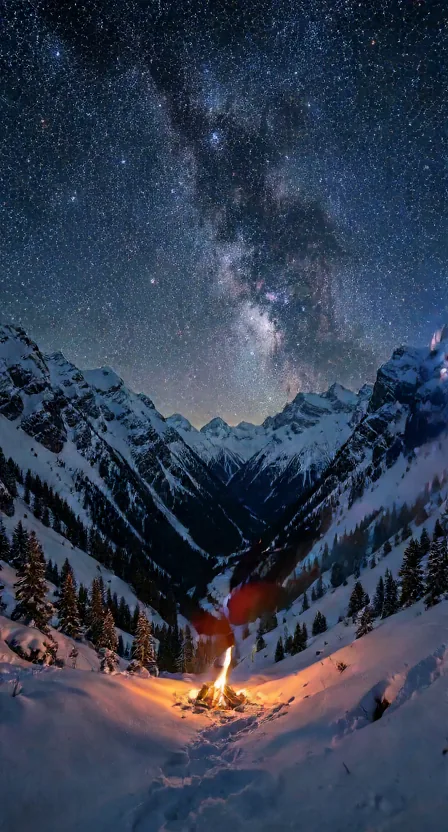
3.Live phone wallpaper

A still wallpaper you love, then two seconds of gentle motion.

Steps of Live phone wallpaper, with the credits each costs
StepToolWhat to pickCredits
1AI wallpaperPhone HD · 1080x19201
2Animate a pictureWan2.2 · 480p · 2 s, with the wallpaper uploaded as the picture18
Total19 credits ($1.90)
  • Make three or four wallpapers first (each is cheap) and animate only the one you love.
  • Ask for gentle motion (drifting fog, slow stars, rain on glass); fast motion breaks in a 2-second loop.

4.Pitch deck that presents itself

A designed deck, with a narrated clip for every slide.

Steps of Pitch deck that presents itself, with the credits each costs
StepToolWhat to pickCredits
1Slide deckDesigned deck2
2Voice-overNarrator style (Warm documentary or Calm audiobook), one clip per slide1 × 7 = 7
Total for 7 slides9 credits ($0.90)
  • Use the speaker notes the deck generator writes as the voice-over script, one slide at a time.
  • In PowerPoint: Insert → Audio on each slide, set it to play automatically, then File → Export → Create a Video.

5.Product showcase

A 3D model and turntable clip of your product, with a voice and music.

Steps of Product showcase, with the credits each costs
StepToolWhat to pickCredits
1Photo to 3D modelTextured model + turntable3
2Voice-overUpbeat promo narrator1
3Music and songsInstrumental2
Total6 credits ($0.60)
  • Photograph the product alone on a plain background; cluttered backgrounds give messy 3D models.
  • The turntable clip is the video; the .glb goes on your website or into a 3D viewer.

6.YouTube upload kit

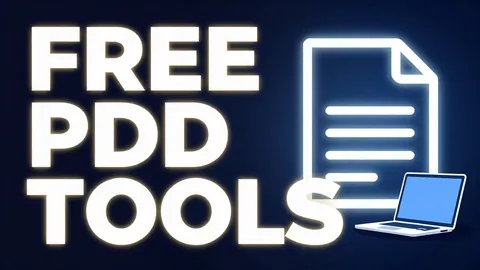
A titled thumbnail, then its alt text and a short description.

Steps of YouTube upload kit, with the credits each costs
StepToolWhat to pickCredits
1Image with textThumbnail · 1280x720, with a 2-4 word title1
2Ask about an imageOne question: "Write alt text and a 2-sentence description for this thumbnail"1
Total2 credits ($0.20)
  • Keep the title on the thumbnail in English; the image model spells English reliably and other scripts poorly.

8.Podcast intro or audiobook sample

An intro sting and a spoken opening.

Steps of Podcast intro or audiobook sample, with the credits each costs
StepToolWhat to pickCredits
1Music and songsInstrumental · up to 60 s (an intro sting)2
2Voice-overYour own voice (with consent) or a narrator style1
Total3 credits ($0.30)

Frequently asked questions

Does the studio join the pieces for me?

Not today. Each tool makes its own piece, and you put them together in any video editor, on your phone or your computer. The recipes say where each piece goes.

How do I use one result in the next tool?

Download it from its job page, then upload it into the next tool, for example a wallpaper as the picture in Animate a picture.

How are the totals worked out?

From each option's credits in our price list, added up per recipe. $5 buys 50 credits, so one credit is 10 US cents.

Can I run the steps at the same time?

You can have two jobs waiting at a time. Start the slow piece (a video) first and make the quick ones (voice, music, pictures) while it renders.