Toolbox Creative Studio Runs on our GPU
Make AI videos, wallpapers, slides and voice-overs
Twelve AI tools that are too heavy for a browser, running on our own graphics card. Write a prompt or add a file, see what it costs and when it will be ready, and download the result on the page or from your email.
The line right now
Reading the line…
How it works
- Buy credits with PayPal$5 gets you 50 credits. You pay on PayPal's own page and come straight back. Credits never expire.
- Sign in with your emailWe send a one-time link. No password, no app to install.
- Pick a tool, see the cost and the timeBefore you send anything you see the credits it costs and when it should be ready, in your own time.
- Download on the page or by emailShort jobs finish while you watch. For long ones, close the page: we email the link when it is ready.
The tools
Each card shows a real result from our own runs. Open one for its gallery, with the exact prompt and settings behind every example. To make a reel, a live wallpaper or a narrated deck from several of them, follow the creative recipes.

Cinematic video with sound
Film-style clips up to 20 s with sound effects, voices and music, from one prompt.
22 creditsabout 22 min on our GPUQuickest: LTX-2.5 · Preview · up to 20 s, 1 credit

Animate a picture
Turn a still picture, or a sentence, into a 2-second moving clip.
18 creditsabout 18 min on our GPU

AI wallpaper
Phone wallpapers from a sentence, up to 1280x2272, in under a minute of GPU time.
1 creditunder a minute on our GPU
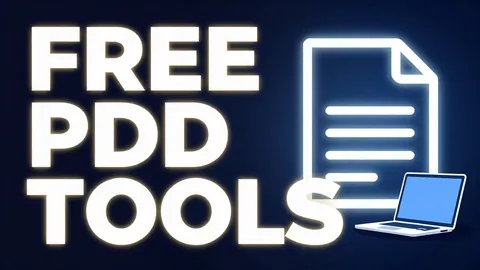
Image with text
Thumbnails, posters and flat illustrations with short English titles.
1 creditunder a minute on our GPU

Slide deck
A designed PowerPoint deck with speaker notes from a topic or your notes.
2 creditsabout 2 min on our GPU
Voice-over
Narration in five narrator styles, or in your own voice with your consent.
1 creditunder a minute on our GPU
Music and songs
Instrumentals up to 60 s or full songs with your lyrics up to 90 s.
2 creditsabout 2 min on our GPU

Photo to 3D model
One photo of an object in, a textured 3D model (GLB) and a turntable video out.
3 creditsabout 3 min on our GPU
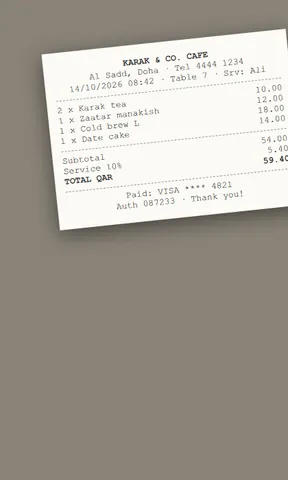
Structured document reader (AI)
Not plain OCR: an AI vision model reads the page layout and gives back headings, columns, tables and formulas intact.
1 creditunder a minute on our GPU

Ask about an image
Alt text, captions, invoice fields and chart readings from any picture.
1 creditunder a minute on our GPU
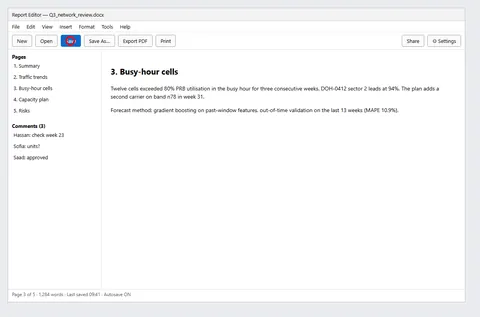
Screenshot helper
Find the button on a screenshot and get the exact point to click.
1 creditunder a minute on our GPU
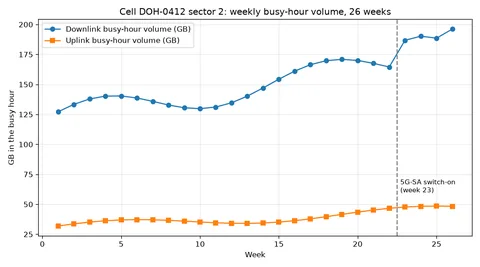
Talk to AI with audio, image or video
Send a recording, a picture or a short video and get a written or spoken answer.
5 creditsabout 5 min on our GPUQuickest: Short video in · text answer, 3 credits
Credit packs
Five packs, from $5. Credits never expire, and there is no subscription and no unlimited plan.
$5
50 credits
For example 50 wallpapers, or 25 slide decks, or 2 MiniMax H3 clips.
$10
100 credits
For example 100 wallpapers, or 50 slide decks, or 4 MiniMax H3 clips.
$15
150 credits
For example 150 wallpapers, or 75 slide decks, or 6 MiniMax H3 clips.
$20
200 credits
For example 200 wallpapers, or 100 slide decks, or 9 MiniMax H3 clips.
$50
500 credits
For example 500 wallpapers, or 250 slide decks, or 22 MiniMax H3 clips.
Rather say thanks? Send a one-off gift from $5 to $50. It buys no credits: it adds a supporter badge to your account and a vote on what we build next.
Send a giftYour credits and your data
- Credits come back if a job fails
- Credits are held when you send a job and spent when the result is ready. They return automatically if the job fails, is refused by the safety check, is interrupted twice, or has not started within 24 hours.
- No cash refunds, no unlimited plan
- Credits are bought in packs from $5 and never expire. A refund is always in credits, never money; PayPal checkout says so before you pay.
- Deleted after 7 days
- Your result is kept 7 days, or 48 hours after your first download, whichever comes first, then deleted for good. Download it in time: a result that expires unused is not refunded. Your prompt is deleted after 7 days too.
- Nobody else sees your jobs
- A job is visible only to you, signed in, or to whoever has its tracking link. The public queue shows the tool and the time left, never prompts, files or emails.
The full detail is in the privacy policy.
Help decide what comes next
The studio is built by one engineer, on one laptop, priced at what each job costs to run. A one-off gift of $5 to $50 adds a supporter badge to your account and a vote on the request board, where people ask for the tools they want next. Anyone can read the board.
Frequently asked questions
What is the Creative Studio?
The paid part of ToolboxHere: AI tools that are too heavy for a browser run on our own graphics card instead. You send a prompt or a file, the GPU makes the video, picture, deck, voice-over or answer, and you download it from the page or from the link we email you.
How much does it cost?
You buy credits in packs: $5 for 50 credits, up to $50 for 500. A phone wallpaper costs 1 credit, a slide deck 2, a MiniMax H3 video clip up to 12 seconds 22. Every tool page shows the exact cost of each option before you start, and there is no unlimited plan.
How long does a job take?
It depends on the tool. In our measured runs a phone wallpaper took about 39 seconds of GPU time, a slide deck about 2 minutes, and a MiniMax H3 clip 20 to 32 minutes. Before you send a job you see when it should be ready, in your own time zone, counting the jobs ahead of you.
What happens if a job fails?
Your credits come back automatically. They are held when you send a job and spent when the result is ready; a job that fails, is refused by the safety check or has not started within 24 hours returns them. A finished result is kept 7 days, then deleted: download it in time, because one that expires unused is not refunded.
Who can see my prompts and results?
Only you. A job can be opened only from your signed-in account or with its private tracking link. Prompts are deleted after 7 days, and results after 7 days or 48 hours after your first download, whichever comes first.
Is this different from the free tools?
Yes. The free tools run inside your browser and never upload anything. The studio is separate: your prompt and any file you add are sent to our GPU to make the result. The free tools stay free, with no account.
What is not allowed?
The safety filter refuses sexual content, hate, and holy or religious places and symbols, and voice cloning needs your confirmation that the voice is yours or that you have the speaker's permission. A refused prompt costs nothing.